
Troubleshooting
Billing FAQ
Where Do I Find My Plan Info?
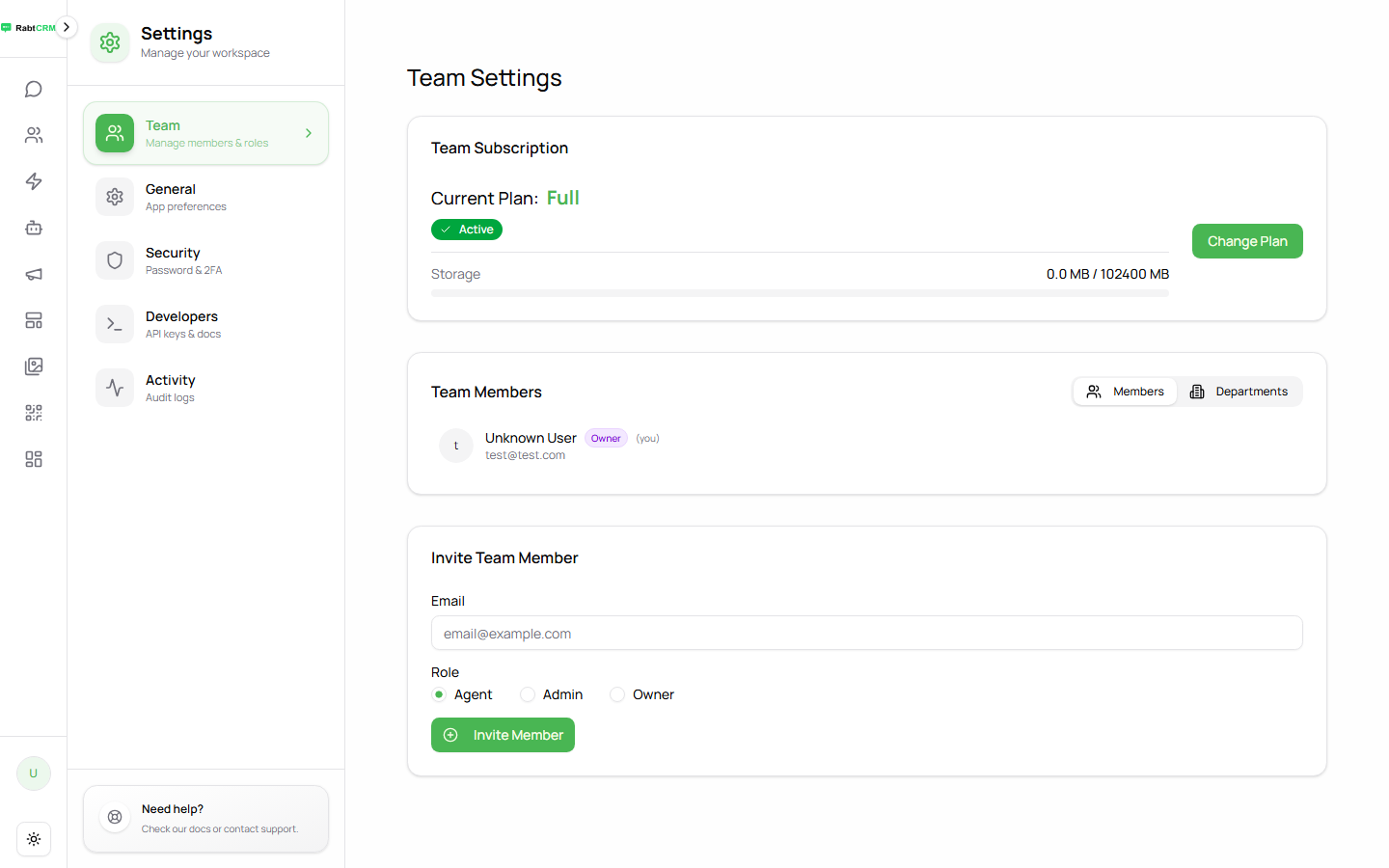
Go to Settings from the left sidebar. At the top of the page you'll see:
- Your current plan and its features
- A Change Plan button to upgrade or downgrade
How Do I Upgrade My Plan?
- Go to Settings
- Click Change Plan
- Select the plan you want
- Enter your payment details and complete the process
Upgrades take effect immediately — you get the additional features right after payment.
What Happens When I Downgrade?
A downgrade doesn't take effect immediately — it applies at your next renewal date.
Until then, you stay on your current plan with all its features.
What Payment Methods Are Accepted?
- Credit and debit cards: Visa, Mastercard, American Express
- Stripe: direct card payment
- Razorpay: for users in the Gulf region and South Asia
Can I Pay Monthly or Only Annually?
Both options are available. Annual plans are typically up to 20% cheaper.
Why Was I Charged an Amount I Don't Recognise?
- Check if it's an automatic renewal for your monthly or annual plan
- If you still can't identify the charge, contact support at [email protected] with the charge date
How Do I Cancel Auto-Renewal?
- Go to Settings
- Click Change Plan
- Follow the steps to cancel auto-renewal
You'll stay on your current plan until the end of the paid period, then your account moves to the free plan (if available) or is paused.
Can I Get a Refund?
We accept refund requests within 7 days of payment for:
- Duplicate charges (you paid twice)
- A technical error that prevented you from using the platform
To request: email [email protected] with your payment details.
What Happens to My Data When My Subscription Ends?
- Conversations and contacts: retained for 30 days after expiry
- After 30 days: data is permanently deleted unless you renew
Tip: Export your contacts from the Contacts page → Export before your subscription ends if you don't plan to renew.
I Have Another Billing Question
Contact support:
- Email: [email protected]
- In-platform: click the support icon in the sidebar