
API Reference
Authentication
If you're a developer looking to integrate RabtCRM with your app or website, you need an API key to authenticate every request.
Creating an API Key
- Go to Settings → Developers
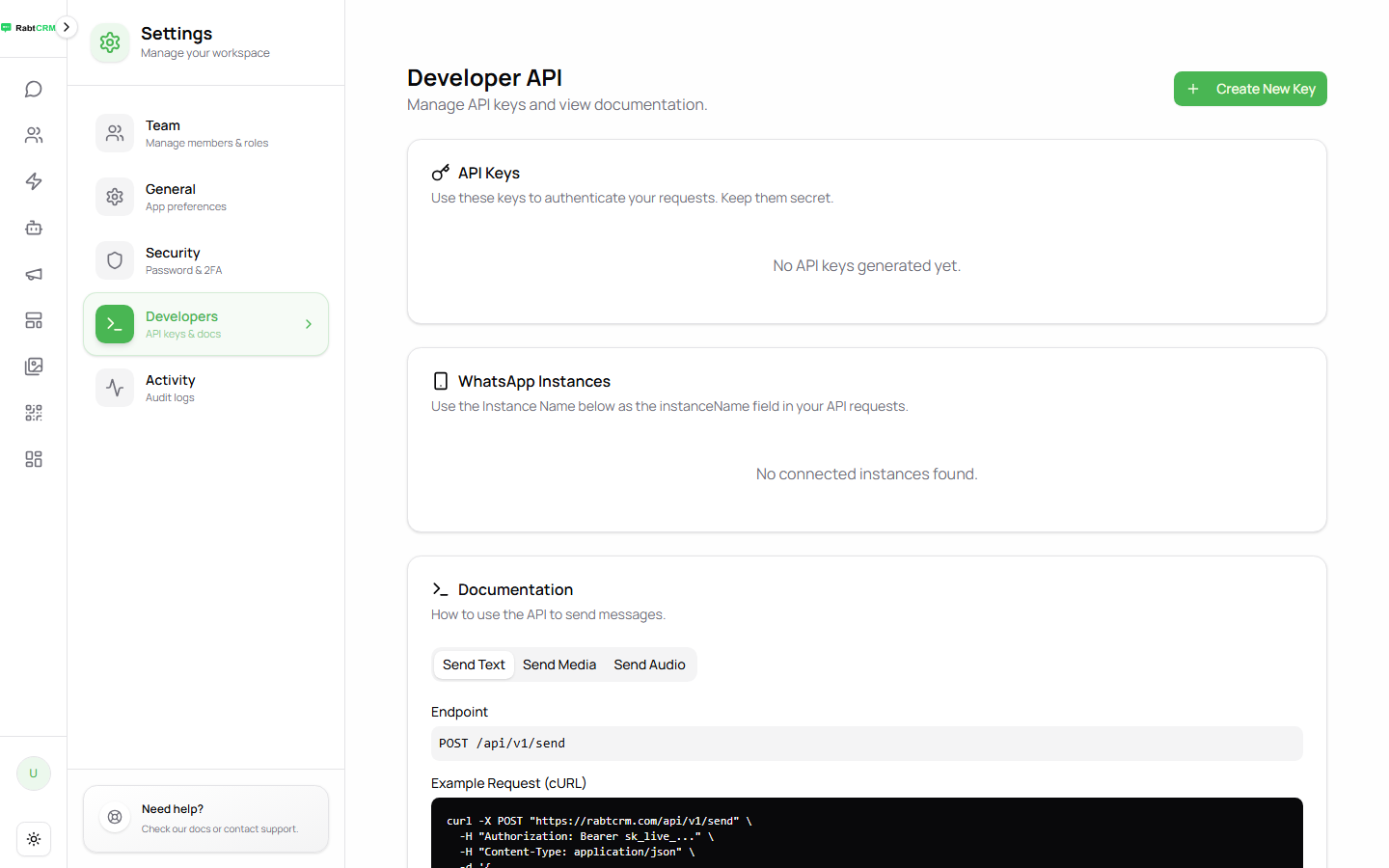
- Click Create New Key
- Enter a descriptive name (e.g. "Mobile App" or "Website")
- Click Create
- Copy the key immediately — it won't be shown again for security reasons
API Playground
The Developers page includes a built-in API Playground so you can test requests directly without any external tools:
| Tab | What It Does |
|---|---|
| Send Text | Test sending a text message to a number |
| Send Media | Test sending an image or file |
| Send Audio | Test sending a voice note |
Each tab shows the Endpoint and a ready-to-copy cURL example.
Using the API Key
Add the key as an Authorization header in every HTTP request:
Authorization: Bearer YOUR_API_KEY_HERE
Content-Type: application/json
cURL Example
curl -X GET https://rabtcrm.com/api/v1/contacts \
  -H "Authorization: Bearer YOUR_API_KEY_HERE" \
  -H "Content-Type: application/json"
JavaScript (fetch)
const response = await fetch('https://rabtcrm.com/api/v1/contacts', {
  method: 'GET',
  headers: {
    'Authorization': 'Bearer YOUR_API_KEY_HERE',
    'Content-Type': 'application/json',
  },
});
const data = await response.json();
Python
import requests

headers = {
    'Authorization': 'Bearer YOUR_API_KEY_HERE',
    'Content-Type': 'application/json',
}

response = requests.get('https://rabtcrm.com/api/v1/contacts', headers=headers)
data = response.json()
Response Codes
| Code | Meaning |
|---|---|
200 OK | Request succeeded |
201 Created | New record created successfully |
400 Bad Request | Invalid request data |
401 Unauthorized | Missing or invalid API key |
403 Forbidden | Insufficient permissions |
404 Not Found | Resource not found |
429 Too Many Requests | Rate limit hit — wait before retrying |
500 Server Error | Server-side error — contact support |
API Key Security
- Never put an API key in client-side JavaScript
- Never commit it to GitHub or any public repository
- If it's ever leaked, delete it immediately and create a new one
- Store keys in environment variables, not in source code
Deleting an API Key
- Go to Settings → Developers
- Find the key in the list
- Click the delete icon next to it
- Confirm deletion
The key is revoked instantly and all requests using it will fail.