
WhatsApp Account Blocked? How to Restore Access to Your Blocked Account
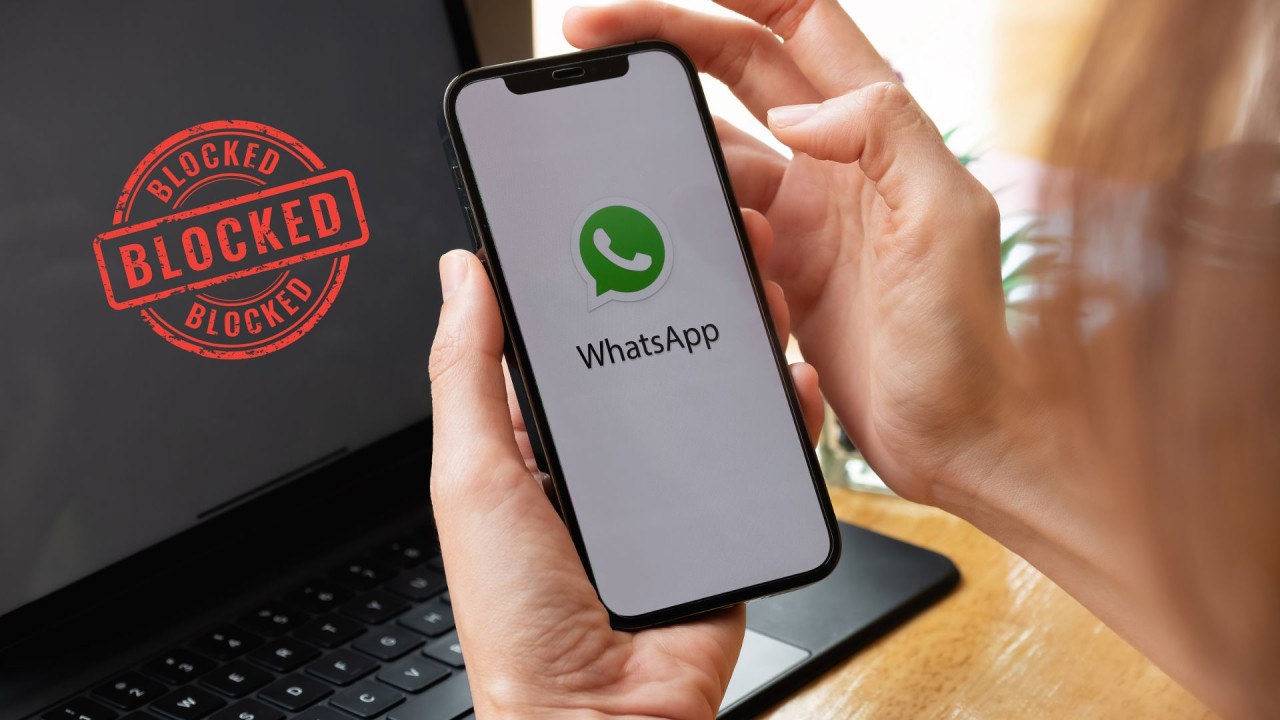
Having your WhatsApp account blocked can be incredibly frustrating, whether you use it for personal communication or business purposes. WhatsApp has become one of the most important communication tools today, connecting billions of people around the world.
Being unable to access your account can disrupt your communication with others and, for businesses, can cause significant interruptions to operations and customer interactions.
If you have experienced a WhatsApp account block, whether temporary or permanent, there are steps you can take to try to restore access to your account.
In this guide, we will explore the different types of WhatsApp account blocks, the common reasons accounts may be blocked, and the steps you can take to recover your account and get back to using WhatsApp.
Types of WhatsApp Account Blocks
It is important to understand the different types of blocks WhatsApp may impose before looking at the reasons behind them. There are two main types of blocks:
1. Temporary Block
A temporary block is a measure WhatsApp may use when a user violates certain platform policies without the violation necessarily being serious or intentional. The block ends automatically after the specified period. WhatsApp does not publish a fixed duration for temporary blocks.
During the block period, you may be unable to send or receive messages, while some features of the app may remain available, such as viewing previous chats.
A temporary block may commonly occur because of practices such as:
Sending a large number of messages within a short period.
Joining a large number of groups within a short period.
Using unofficial WhatsApp applications or unauthorized services.
⚠️ Important: If your account is temporarily blocked, avoid repeatedly attempting to log in and wait for the block period to end before trying again.
2. Permanent Block
A permanent block is more serious and may occur when WhatsApp determines that an account has committed a serious violation of the platform's Terms of Service.
When an account is permanently blocked, you may see messages such as:
Your phone number is banned from using WhatsApp.
You can no longer use WhatsApp.
A permanent block can be difficult to reverse. However, in some cases, users may submit a review request and attempt to recover their account. If the review request is unsuccessful, you may need to use another phone number to create a new account.
8 Common Reasons for WhatsApp Account Blocking
WhatsApp may block accounts for several reasons, most of which are related to violations of the platform's policies. Understanding these reasons can help reduce the risk of your account being suspended.
1. Using Unofficial WhatsApp Apps
Some users may turn to unofficial versions of WhatsApp because they offer additional features that are not available in the official app, such as custom themes or additional privacy options. Some unofficial providers may also claim to offer features such as free campaign messaging or ways to bypass messaging restrictions.
However, these applications and third-party providers are not authorized by WhatsApp and may violate the platform's Terms of Service. They can also create security and user privacy risks.
To protect the platform and its users, WhatsApp may detect the use of unauthorized applications and may temporarily or permanently block accounts. Therefore, it is recommended to use the official WhatsApp application.
2. Sending Spam Messages to Users
Spam refers to sending large volumes of unwanted messages, particularly promotional messages, to many recipients. WhatsApp uses automated systems and user reports to help detect this type of behavior.
Sending a large number of unsolicited messages, especially to people with whom you do not have an established communication relationship, may result in messages being reported as spam. When an account receives reports, WhatsApp may review its activity.
WhatsApp takes spam seriously to maintain a safe user experience, and accounts that repeatedly engage in such practices may face suspension or blocking.
3. Creating Too Many Broadcast Lists
Broadcast lists allow users to send the same message to multiple contacts at the same time without creating a group. However, excessive use, especially for commercial or unsolicited messages, may cause the account to be reported as a source of spam.
If a large number of recipients report broadcast messages as unwanted, WhatsApp's anti-spam systems may take action against the account.
For large-scale business messaging, companies can use the WhatsApp Business Platform with approved templates and customer lists consisting of users who have opted in to receive messages.
4. Being Reported by Other Users
WhatsApp allows users to report inappropriate behavior or content. If several users report your account for practices such as harassment, offensive content, or spam, WhatsApp may review the account's activity.
If the activity is found to violate WhatsApp's Terms of Service, the account may be temporarily suspended or permanently blocked.
5. Automated or Bulk Messaging
Using automation tools or bots to send large volumes of messages, particularly unsolicited promotional messages, may be considered a violation of WhatsApp's policies.
WhatsApp systems monitor account activity and message volumes over short periods to help identify unusual behavior or activity that may pose a risk to users.
6. Using WhatsApp for Illegal Activities
WhatsApp prohibits the use of its platform for illegal activities, including:
Fraudulent schemes.
Scams and deceptive activities.
Distributing illegal content.
Any other activities that violate the law.
WhatsApp uses automated systems and user reports to help identify suspicious activities. If an account is found to be involved in such activities, it may be blocked.
7. Excessive Group Participation
Creating or joining a very large number of groups within a short period may be considered unusual behavior, particularly when associated with spam or attempts to reach large numbers of users.
WhatsApp may monitor this type of activity to help maintain platform integrity and may take action against accounts that display unusual usage patterns.
8. Violating Privacy Policies
WhatsApp has privacy policies designed to protect user data. Examples of practices that may constitute violations include:
Sharing users' data without their consent.
Extracting data from the app through unauthorized methods.
Sending messages containing personal data without the necessary permission.
Using the platform to collect data in an unethical or unauthorized manner.
The platform takes privacy violations seriously, and certain violations may result in actions including account blocking.
How to Identify If Your WhatsApp Account Is Blocked
When a WhatsApp account is blocked, several signs may indicate that there is an issue with account access.
Signs of a Blocked WhatsApp Account
IndicatorDescriptionUnable to Send MessagesMessages may fail to send or may remain with a single check mark.Error MessagesYou may see a message stating that your phone number is banned from using WhatsApp or that you can no longer use WhatsApp.Unavailable FeaturesYou may be unable to update your status, change your profile picture, or use WhatsApp Web.Automatic LogoutYou may be logged out of your account and unable to log back in.No Incoming MessagesYou may stop receiving messages and notifications.Profile Viewing IssuesYou may experience difficulty viewing profile pictures or status updates for some contacts.WhatsApp Web IssuesYour account information may disappear or your connection to WhatsApp Web may stop working.Calls Not WorkingVoice calls or video calls may stop working.
Steps to Restore a Temporarily Blocked WhatsApp Account
Step 1: Stop Using Unofficial Apps
If you are using an unofficial WhatsApp application:
Remove the unofficial application immediately.
Disconnect from any unofficial services you are using with WhatsApp.
Download the official WhatsApp application from a trusted app store.
Switching to the official version is one of the key steps you can take when the block is related to the use of an unofficial application.
Step 2: Wait for the Block Period to End
WhatsApp does not publish a fixed duration for all temporary blocks. During the block period:
Your ability to send and receive messages may be restricted.
Some previous chats may remain accessible.
There is no guaranteed way to speed up the end of the block period.
Check your status: After the block period ends, open WhatsApp and check whether access to your account has been restored.
Step 3: Uninstall and Reinstall WhatsApp
After the block period ends:
Uninstall the unofficial application if you were using one.
Download the official WhatsApp application from a trusted app store.
Restore your chat history from a backup if one is available on Google Drive or iCloud.
Steps to Restore a Permanently Blocked WhatsApp Account
Step 1: Contact WhatsApp Support
If your account has been permanently blocked, the first step is to contact WhatsApp Support through the available official support channels.
Use the Contact Us option within the app settings if it is available.
Provide clear details about the issue.
Explain why you believe the block may have occurred by mistake.
With Rabt CRM: Businesses using the WhatsApp Business Platform can receive assistance with support-related processes and account communication through the official channels available to them.
Step 2: Submit a Review Request
When submitting a review request, make sure to include:
Your phone number in international format.
Your device details and WhatsApp version.
A clear explanation of what happened and why you believe the block was incorrect.
Make sure the information you provide is accurate and clear, and include the relevant facts about your account.
Step 3: Wait for the Review Result
After submitting your review request, you will need to wait for WhatsApp's response and decision regarding your account.
The review is conducted for the phone number associated with the request.
You will receive a notification through WhatsApp when a decision is made.
If the option to request a review does not appear, there may be no further appeal option available through the app.
How to Prevent Your WhatsApp Account from Being Blocked in the Future
1. Read and Follow WhatsApp's Terms of Service
Learn about WhatsApp's policies, particularly those related to:
Avoiding mass or spam messaging.
Respecting user privacy and data protection guidelines.
2. Avoid Suspicious Activity
Do not send a large number of messages within a short period.
Avoid bulk-inviting large numbers of users to groups.
Do not excessively use broadcast lists to send unwanted messages.
Respect users' privacy and avoid harassment or spam.
3. Use Official WhatsApp and Approved Business Solutions
Using the official WhatsApp application helps avoid problems associated with modified or unauthorized applications.
For businesses that need to communicate with customers at scale, the recommended approach is to use the WhatsApp Business Platform through official solutions and Meta-approved partners.
What to Do If Your Review Request Is Denied
Option 1: Use a New Phone Number
If your appeal is unsuccessful:
You can create a WhatsApp account using a different phone number.
Transfer your contacts if possible.
Restore your chat backups if they are available and can be restored to the new account.
Option 2: Use Other Messaging Platforms
If changing your phone number is not suitable, you can consider using other messaging platforms such as Telegram or LINE, depending on your personal or business needs.
Businesses that rely on multiple communication channels can also use multichannel conversation management solutions such as Rabt CRM to organize conversations from different platforms in one place.
Conclusion
Having your WhatsApp account blocked can be frustrating, whether the block is temporary or permanent. However, understanding the possible reasons behind the block and following the appropriate steps can help you handle the situation more effectively.
Always follow WhatsApp's policies and avoid spam messaging, unofficial applications, or activities that could result in your account being reported.
For businesses that rely on WhatsApp to communicate with customers, using official solutions and managing conversations properly can help reduce the risks associated with improper use of the platform.
Need to manage your company's WhatsApp conversations more efficiently? Rabt CRM can help you manage customer conversations, distribute them among your team, automate responses, and organize communication through WhatsApp.
Read next
WhatsApp Error 131026: Message Undeliverable – Complete Troubleshooting Guide
Learn the causes of WhatsApp Error 131026, how to diagnose message delivery failures, fix them, and prevent them.
Read article
WhatsApp Coexistence Limitations: What You Need to Know
A practical guide to WhatsApp Coexistence, its key limitations, the 14-day connection rule, chat history restrictions, and how Rabt CRM helps businesses manage WhatsApp conversations alongside the WhatsApp Business App.
Read article
How to Fix Meta Error 459 (Account Checkpoint)
A practical guide explaining the causes of Meta Error 459, how to complete the security verification process, and how to restore access to your account and WhatsApp Business integration.
Read article