
How to Recover a Banned WhatsApp Account Within 24 Hours
Learn how to appeal a WhatsApp ban and request account restoration. This guide explains the difference between temporary restrictions and account bans, how to submit an appeal, and the best practices for reducing the risk of future bans, especially when using WhatsApp for business.
Your WhatsApp Account Was Banned. What Should You Do?
You open WhatsApp and see a worrying message:
"This account can no longer use WhatsApp."
The situation can be stressful, especially if your account contains customer conversations, business contacts, and important groups.
However, there is no need to panic. In some cases, WhatsApp accounts can be restored after a review, particularly when the account was used legitimately and the ban was not the result of an intentional policy violation.
This guide covers:
Why WhatsApp accounts get banned.
The difference between temporary restrictions and account bans.
How to submit a ban appeal.
What to do after submitting an appeal.
How to reduce the risk of future bans.
What to do if your account is banned again.
Why Does WhatsApp Ban Accounts?
WhatsApp uses automated systems and user reports to enforce its Terms of Service and messaging policies. As a result, some accounts may be restricted when the platform detects activity that appears to violate its policies.
Common behaviors that may increase the risk of a WhatsApp ban include:
Sending large numbers of repetitive or promotional messages within a short period.
Messaging people who do not expect to hear from you or have not agreed to receive your messages.
Receiving numerous spam reports from recipients.
Using unofficial or modified WhatsApp applications, such as GB WhatsApp and WhatsApp Plus.
Creating or managing many groups within a short period.
Experiencing sudden increases in activity from a new or recently reactivated number.
Using messaging patterns that resemble automated or bulk messaging.
Using official tools to manage WhatsApp for business can help companies establish more organized messaging processes instead of relying on modified applications or unofficial methods.
WhatsApp Bans for Business Accounts
One common mistake is treating WhatsApp as a mass-marketing channel similar to email marketing.
However, sending unsolicited messages to customers can increase the risk of restrictions, even if the recipients have purchased from the business before.
If your business needs to communicate with a large number of customers, consider using the WhatsApp Business Platform and its official business messaging tools. Make sure you obtain customer consent and follow WhatsApp's messaging policies, including the requirements for approved templates when applicable.
Types of WhatsApp Bans
The appropriate response depends on the type of restriction applied to your account.
1. Temporary Ban
With a temporary ban, you may see a countdown timer indicating how long you must wait before using WhatsApp again.
What Does a Temporary Ban Mean?It means WhatsApp has temporarily restricted your account because its systems identified activity considered risky or potentially inconsistent with its policies.
What Should You Do?Wait until the restriction period ends.
Stop all WhatsApp activity during the restriction.
Do not uninstall and reinstall the application as a workaround.
Avoid attempts to bypass the restriction.
Do not change your number simply to try to get around the ban.
In many cases, access is restored automatically after the restriction period ends.
2. Account Ban Requiring a Review
In this situation, you may see the following message:
"This account can no longer use WhatsApp."
The message may appear without a countdown timer.
This means your account may need to be reviewed through WhatsApp's available support channels before access can be restored.
If you have been using the account legitimately, submit a clear and concise appeal explaining how you use WhatsApp.
How to Appeal a WhatsApp Ban
Step 1: Use the "Request a Review" Option
If the Request a Review option appears in WhatsApp, use it to submit an appeal directly through the application.
When writing your appeal:
Keep your message calm and clear.
Briefly explain how you use WhatsApp.
Clarify that any activity that may have triggered the restriction was unintentional, if applicable.
Avoid aggressive or emotional language.
Ask WhatsApp to review your account and investigate the reason for the ban.
Step 2: Contact WhatsApp Support
You can also contact WhatsApp through the official support channels available for your account. Provide the relevant details and the phone number associated with the account.
When contacting support, include:
The phone number associated with your account.
The ban message displayed in the application.
A description of how you use the account.
Any additional information that may help the support team understand the issue.
WhatsApp Ban Appeal Template
You can use the following template as a starting point:
Hello WhatsApp Support Team,
My WhatsApp account has been banned, and I believe the restriction may have been applied by mistake.
I primarily use WhatsApp for legitimate communication, including customer support, business inquiries, and communication with my contacts.
If any activity unintentionally violated WhatsApp's policies, I apologize and will make sure to comply with the platform's policies moving forward.
I kindly request that you review my account, investigate the reason for the ban, and restore access if no violation justifies the continued restriction.
Thank you for your time and assistance.
Best regards,
[Your Name]
Step 3: Wait for the Review Result
The review process may take some time, depending on the nature of the case and the details associated with the account.
While waiting:
Avoid submitting multiple appeals within a short period.
Monitor your email inbox, including the spam folder.
If the support team requests additional information, respond clearly and as soon as possible.
How to Prevent Future WhatsApp Bans
Once your account is restored, focus on preventing the issue from happening again. Repeated violations or behaviors considered high-risk may lead to further restrictions.
Tips for Personal WhatsApp Use
Message people who expect to hear from you.
Avoid repeatedly sending identical messages to large numbers of people.
Get permission before adding people to groups.
Avoid unofficial or modified WhatsApp applications.
Tips for Using WhatsApp for Business
Obtain clear consent from customers before sending messages.
Make messages relevant to customers and avoid indiscriminate messaging.
Avoid sudden and significant increases in messaging volume.
Use official WhatsApp tools for communicating with customers at scale.
Follow WhatsApp's messaging and template policies.
When a business needs to send messages at scale, the WhatsApp Business Platform and its official tools help organize messaging according to Meta's business messaging framework, rather than relying on unofficial bulk-sending methods.
Behaviors That May Increase the Risk of a WhatsApp Ban
Sending promotional messages to large contact lists without appropriate consent.
Messaging numbers collected from unreliable sources or purchased lists.
Using unofficial automation tools or modified WhatsApp applications.
Adding people to groups without their permission.
Continuing risky behavior after receiving a warning or temporary restriction.
How Rabt CRM Helps You Manage WhatsApp for Business
When a business relies on WhatsApp to receive customer inquiries, answer questions, and follow up on sales, organizing its communication processes becomes essential.
Rabt CRM helps businesses manage customer communication through a more organized environment instead of relying on unofficial tools or unstable manual processes.
With the right tools, businesses can organize conversations, assign them to team members, automate certain replies and follow-ups, and manage customer communication more professionally.
When Should You Review Your Business's WhatsApp Setup?
It may be time to reassess how your business manages WhatsApp if:
Your business number has been banned or restricted.
WhatsApp has become a primary channel for sales or customer support.
Your account has received warnings or restrictions before.
You plan to increase your messaging volume.
You do not know what triggered the restriction.
You rely on unofficial tools to send messages or automate conversations.
What Should You Do If Your WhatsApp Account Is Banned?
If your account is banned, start by identifying the type of restriction. If it is temporary, wait for the restriction period to end and avoid trying to bypass it. If WhatsApp requests an account review, use the Request a Review option when available and provide a clear, concise explanation of how you use the account.
After your account is restored, do not simply resume using it in the same way. Review your messaging practices, obtain customer consent, avoid unsolicited bulk messages, and use appropriate official tools when you need to scale your communication.
Conclusion
A WhatsApp ban does not always mean that your account is permanently lost. When a ban is eligible for review, you can submit an appeal, explain how you use the account, and wait for WhatsApp's decision.
However, recovering the account is only part of the solution. Understanding what caused the restriction and preventing it from happening again are equally important. Following WhatsApp's policies, obtaining customer consent, avoiding unsolicited messages and unofficial tools, and using suitable WhatsApp Business solutions can help businesses manage customer communication more reliably.
If WhatsApp is an essential part of your company's sales or customer support operations, establishing an organized approach from the beginning can help reduce ban-related disruptions and enable your team to manage conversations more efficiently.
Read next

WhatsApp Error #3: Application Does Not Have the Required API Permissions
A practical guide to fixing WhatsApp Error #3 by reauthorizing your Facebook connection, granting the required API permissions, and verifying access settings in Meta Business Suite.
Read article
WhatsApp Error: Session Has Expired and Access Token Validation Failed
A practical guide explaining the causes of the session expiration error in WhatsApp Business API, how to reauthorize your Facebook connection and refresh the access token, and how to restore connectivity and prevent the issue from recurring.
Read article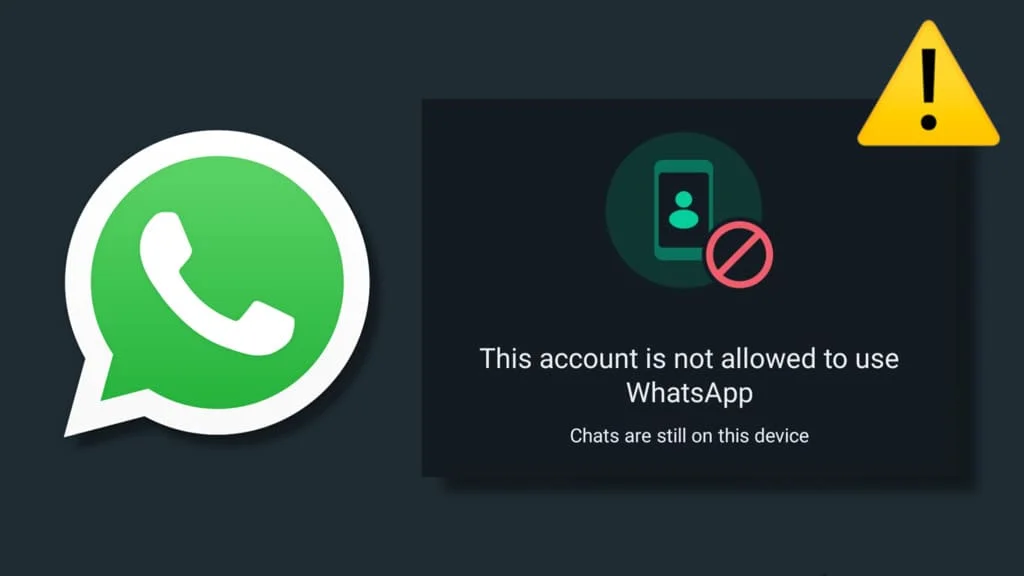
WhatsApp Error: Unable to Access the Account Due to a Permissions Issue
A practical guide explaining the causes of WhatsApp permission-related errors, how to reauthorize your account and restore access to the WhatsApp Business API, and how to prevent the issue from recurring.
Read article