
WhatsApp Error 131060 Why Some Messages Aren’t Available in RabtCRM
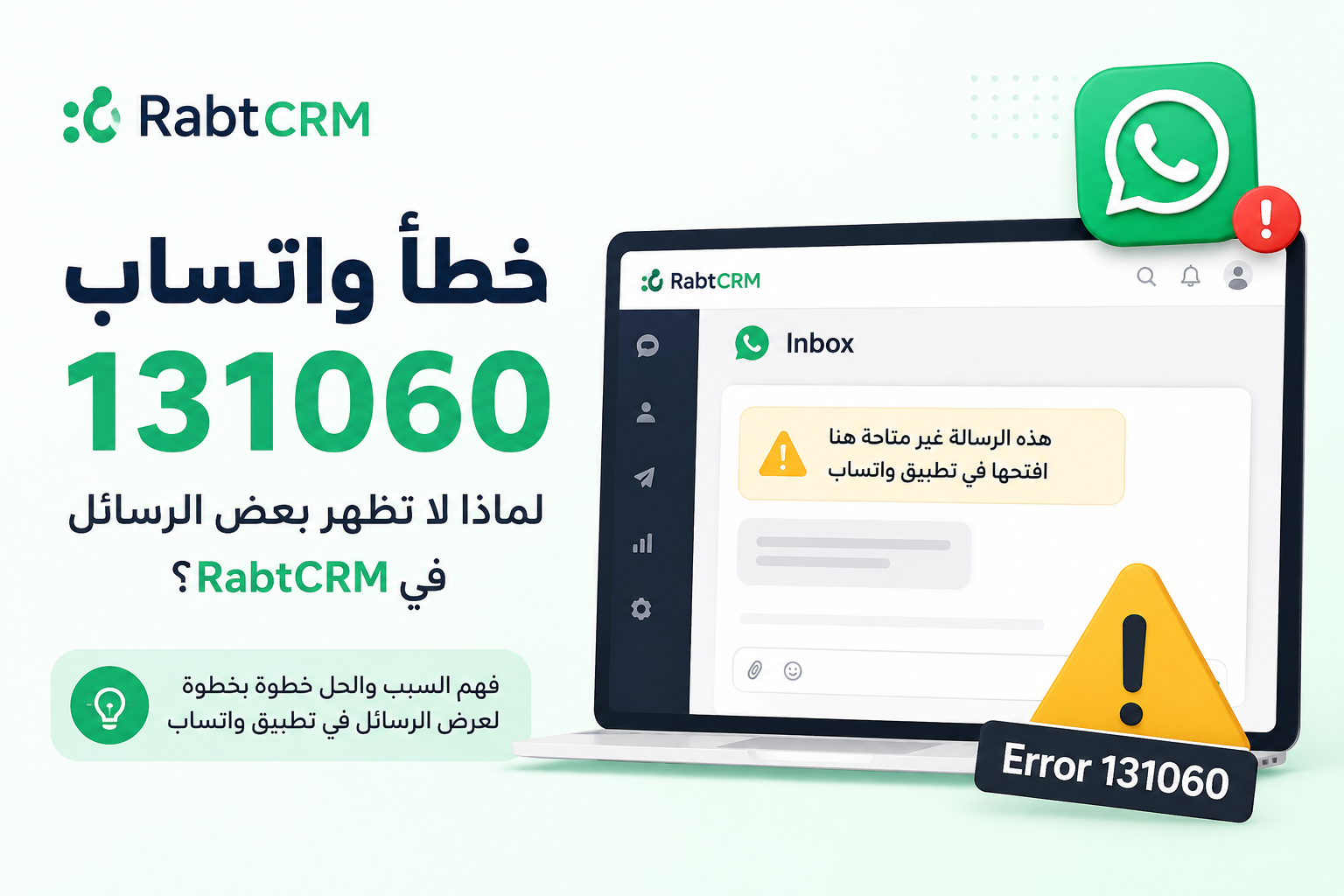
If you use the WhatsApp Business Platform with Coexistence mode, you may occasionally notice that a message appears in RabtCRM with the following notice:
This message isn't available here — open it in the WhatsApp app
This usually happens when WhatsApp reports error code 131060. The error is related to message visibility when certain companion or linked devices are involved.
What Is WhatsApp Error Code 131060?
WhatsApp error 131060 can occur when a message is sent or received through a device configuration that is not fully supported by the WhatsApp Business Platform.
This is particularly relevant for businesses using WhatsApp Coexistence, where the same WhatsApp Business number can be used with both the WhatsApp Business App and the Cloud API.
In some situations, WhatsApp may successfully make the message available inside the WhatsApp Business App but may not provide the actual message content to the Cloud API.
When this happens, RabtCRM cannot display content that WhatsApp did not provide through the API.
Why Does This Happen?
Error 131060 is commonly associated with companion devices or linked-device configurations.
A typical scenario may look like this:
Your business number is using WhatsApp Business App and Cloud API together through Coexistence mode.
A WhatsApp conversation involves an unsupported companion or linked device.
WhatsApp cannot make the message content available through the Cloud API.
RabtCRM receives an indication that a message exists, but the actual content cannot be displayed.
As a result, the conversation may contain a placeholder instead of the original message.
What Are WhatsApp Companion Devices?
Companion devices are additional devices linked to a WhatsApp account, allowing the account to be used without relying exclusively on the primary phone.
Examples may include:
WhatsApp Web
WhatsApp Desktop
Linked tablets
Secondary linked phones
Most messages from linked devices work normally. However, certain companion-device scenarios may not be fully supported by the WhatsApp Business Platform, which can result in error 131060.
How RabtCRM Handles Error 131060
RabtCRM is designed to make this situation easy to understand instead of displaying a technical WhatsApp API error.
When RabtCRM detects that the message content is unavailable, the conversation displays:
This message isn't available here — open it in the WhatsApp app
This notice means that the message may still be available inside your WhatsApp Business App, but its content was not made available to RabtCRM through the WhatsApp API.
It does not necessarily mean that RabtCRM failed to receive or process your conversation. The limitation occurs before the message content reaches RabtCRM.
What Should You Do When You See This Message?
1. Open the WhatsApp Business App
Open the WhatsApp Business App connected to the same business number and navigate to the affected conversation.
The original message may be visible there even though it cannot be displayed inside RabtCRM.
2. Check the Missing Message
Review the conversation directly in WhatsApp to determine what the customer sent.
If the message requires immediate attention, your team can handle it from the WhatsApp Business App.
3. Continue Using RabtCRM Normally
Error 131060 does not necessarily mean that the entire conversation has stopped syncing.
Other supported messages can continue to appear normally in RabtCRM. The unavailable-message notice applies to the specific message that WhatsApp could not expose through the API.
Does Error 131060 Mean My WhatsApp Integration Is Broken?
No. Seeing error 131060 does not normally indicate that your WhatsApp number has been disconnected from RabtCRM.
It is a WhatsApp-side limitation associated with certain companion-device and Coexistence scenarios.
Your WhatsApp integration may continue operating normally before and after the affected message.
Can RabtCRM Recover the Missing Message?
Unfortunately, RabtCRM cannot display message content that WhatsApp does not provide through the Cloud API.
When WhatsApp reports the message as unavailable through the API, RabtCRM displays the placeholder so your team knows that there is a message they may need to check directly in the WhatsApp Business App.
This is preferable to silently hiding the event, because your team can immediately understand that part of the conversation may only be visible inside WhatsApp.
Best Practices When Using WhatsApp Coexistence
If your business uses the WhatsApp Business App together with RabtCRM through Coexistence mode, consider the following practices:
Keep access to the WhatsApp Business App: Your team should know how to access the primary WhatsApp Business account when an unavailable message appears.
Do not assume the conversation was deleted: The message may still exist inside WhatsApp even when its content cannot be displayed through the API.
Train your support team: When agents see "This message isn't available here — open it in the WhatsApp app", they should check the corresponding conversation in WhatsApp.
Monitor repeated occurrences: If unavailable messages appear frequently, review how linked and companion devices are being used with the WhatsApp account.
Summary
WhatsApp error 131060 is generally related to message visibility when unsupported companion-device scenarios are involved, particularly for businesses using WhatsApp Coexistence.
When WhatsApp cannot provide the message content through the Cloud API, RabtCRM displays:
This message isn't available here — open it in the WhatsApp app
If you see this notice, simply open the corresponding conversation in the WhatsApp Business App to check the unavailable message.
Your RabtCRM WhatsApp connection can continue working normally, and supported messages should continue to appear in your unified inbox.
Read next

WhatsApp Template Best Practices: How to Get Approved and Avoid Rejection
A practical guide to WhatsApp Business template best practices, including how to create approved templates, avoid rejection or reclassification, improve message quality, and manage customer communication effectively.
Read article
WhatsApp 24-Hour Rule: How Can Businesses Message Customers Again?
A practical guide to understanding WhatsApp’s 24-hour messaging window, what happens when it expires, and how Rabt CRM helps businesses manage follow-ups and customer conversations efficiently.
Read article
How Many Messages Can You Send on WhatsApp Business? A Guide to Messaging Limits
A practical guide to understanding WhatsApp Business messaging limits and how Rabt CRM helps you manage campaigns and conversations efficiently while avoiding messaging limit violations.
Read article